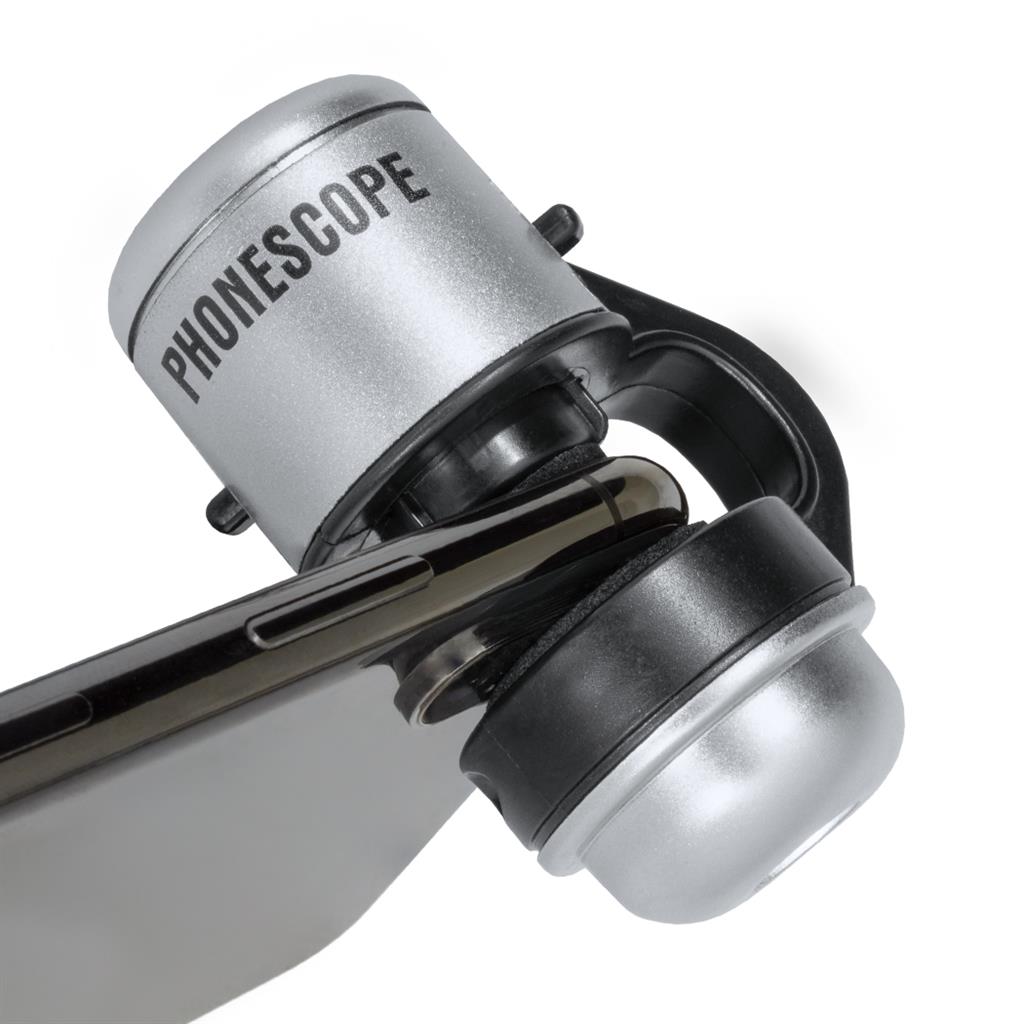
Phonescope
R115.00
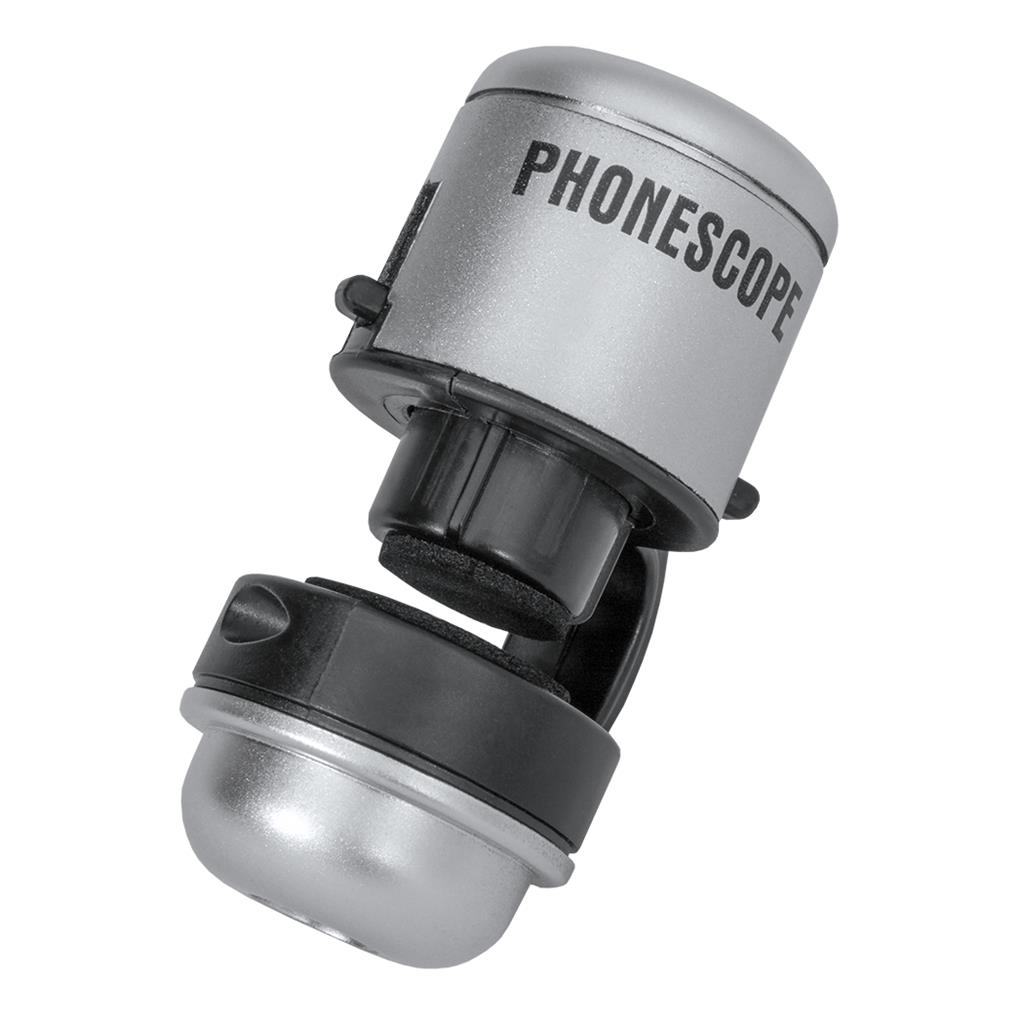
Turn your smartphone into a pocket microscope. The Phonescope uses your phone or tablet’s camera to reveal the little things around you — like Russet Mites and trichomes — with a built-in LED that lights up automatically to illuminate whatever you bring up to the lens.
- See the invisible: spot pests and trichomes at up to 30x magnification using your camera’s digital zoom
- Auto illumination: the built-in LED lights up automatically when clamped to a phone or tablet
- Steady, sharp images: lay the phone flat on a sample on a table to stabilise the display and focus on different depths
- Better with apps: use a free ‘Magnifier’ app instead of the default camera for even better results
Clamps onto a phone/tablet, aligning the macro lens over the camera lens. Requirement: the middle of your camera lens must be 23 mm or less from the edge of the device. Results vary between devices and apps. Product colour may vary.
In stock
Description
The Phonescope uses your smartphone’s camera to allow you to see the little things around you – like Russet Mites and trichomes.
Attach this phone scope directly to your mobile or tablet, aligning the microscope lens with your device’s camera lens. PLEASE NOTE: The middle of your lens must be 23 mm or less from the edge of the device for the Phonescope’s macro lens to fit right over the middle of your device lens.
The LED light build into the Phonescope will light up automatically when clamped onto a smartphone or tablet. This will shed light on anything brought up to the Phonescope lens.
TIP: The Phonescope is best used if your sample is placed on a flat surface ( like a table ), where you can lay the smartphone down on the sample and the flat surface. This will stabilize the phone and get rid of a shaky display on your screen.
Once you’ve set up your sample and phone, use your camera’s digital zoom feature to reveal your sample at up to 30 x magnification. (*Results will vary between different devices and applications used). Ever so slightly raise and lower your phone’s height above the sample to focus on different depths of your sample.
TIP: You can download “Magnifier” apps for all smartphones and use these with your Phonescope instead of your default camera app to get even better results !
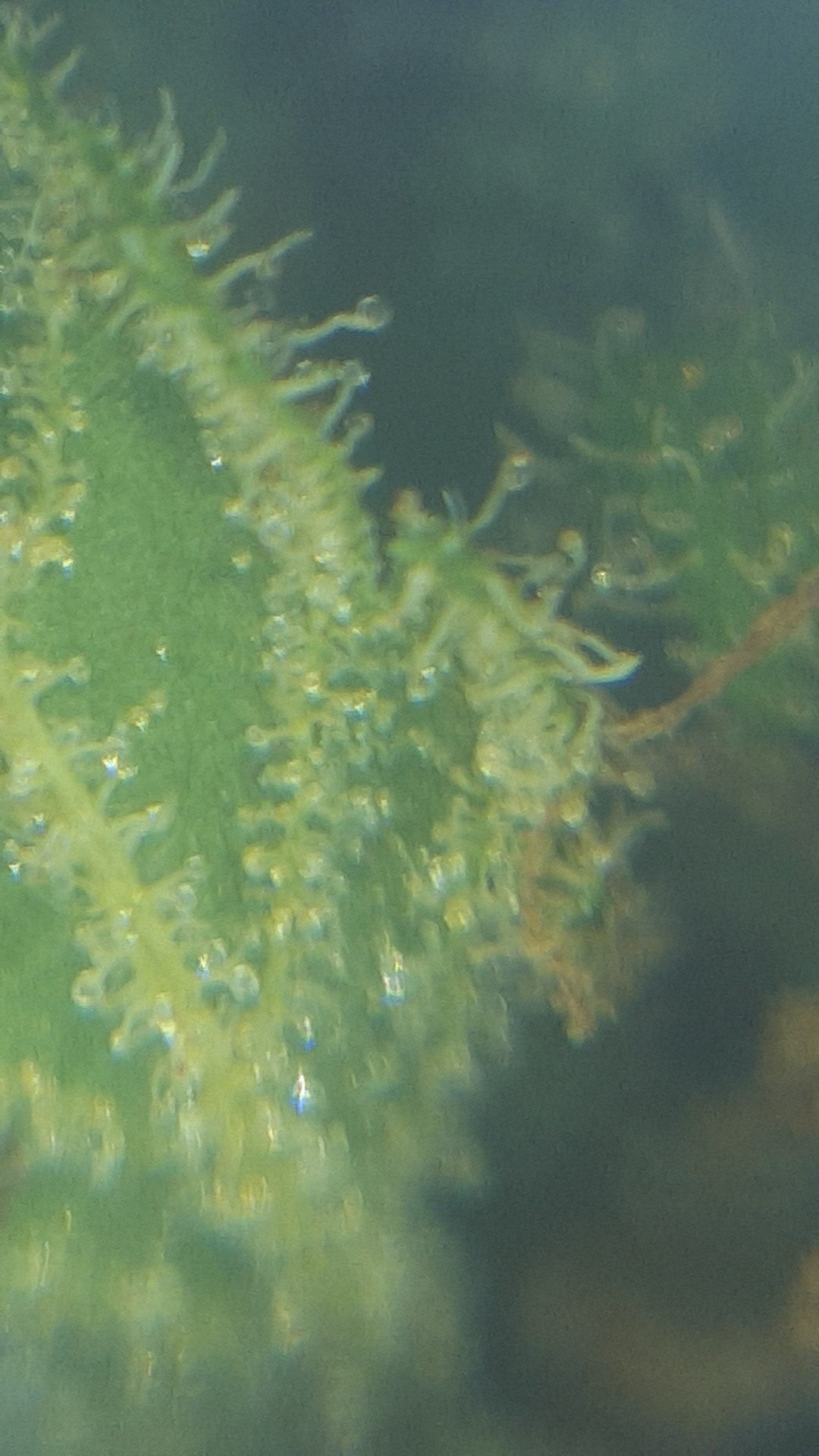
Actual photo using Phonescope:
* Product color may vary depending on availability